
Installation of VMware’s Virtual SAN (VSAN) couldn’t be easier. No, really!
To start with, in my lab environment, I have 4 servers that will participate in the VSAN cluster, and 3 of which will provide storage resources to the VSAN cluster.
- 3x DL160 G6 with:
- 128GB SSD
- 3x 250GB SATA drives (or larger)
- 1x DL360 G6
At this point, I have already added all 4 servers into a cluster with HA off.
Step 1: Enable the VSAN service on a VMKernel port.
- Create your virtual switches, and create at least 1 VMKernel port that will be
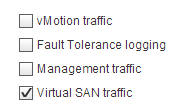 used for VSAN traffic.
- Be sure to keep the Switch names the same across hosts!
- Edit the VMKernel port and check the box for Virtual SAN Traffic.
- Save the port settings, repeat for each host.
- Time Saver: Use host profiles!
In my lab, I am using standard switches, with 2 virtual switches, each with a VMKernel port. 1 is dedicated for VSAN traffic, and the other is shared with the Management and Virtual Machine Traffic.
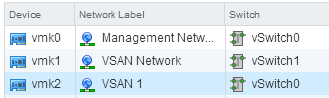
Step 2: Enable VSAN on the Cluster
- Select your cluster, and choose the Manage tab, and the select General under Virtual SAN.
- Edit, and check the box to Turn ON Virtual SAN.
- Choose your setting for “Add disks to storage”
- Manual - You will select each disk that will be a part of the Virtual SAN
- Automatic - VSAN will select all eligible disks for you and add them
- Click OK
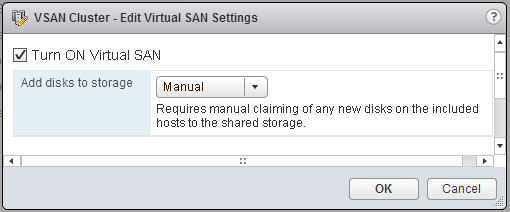
Step 3: Add Disks to Disk Groups
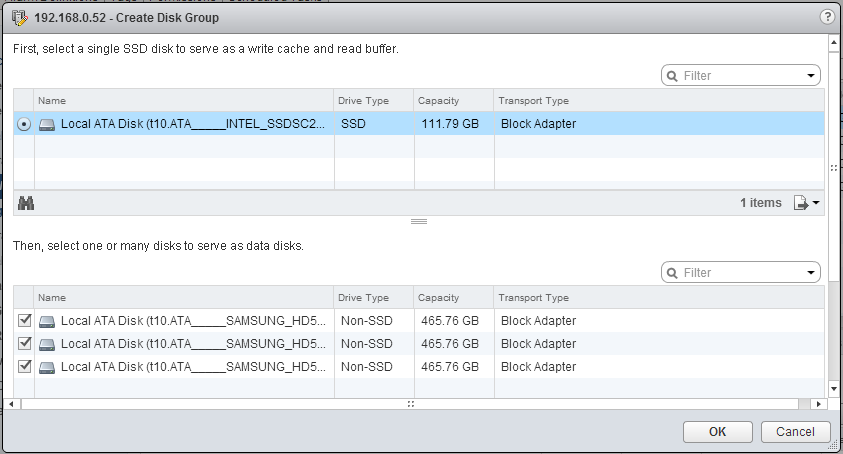
Since I chose Manual mode, I will need to add my disks into Disk Groups. A Disk Group is a collection of 1 SSD, and multiple HDD drives. You can have multiple disk groups per host if capacity allows.
- Still in Virtual SAN settings under the cluster, select the Disk Management section.
- Click on the Claim Disks button, and select the drives for use in Virtual SAN.
- Alternatively, select each host, and manually create Disk Groups per host.
Claim Disks:
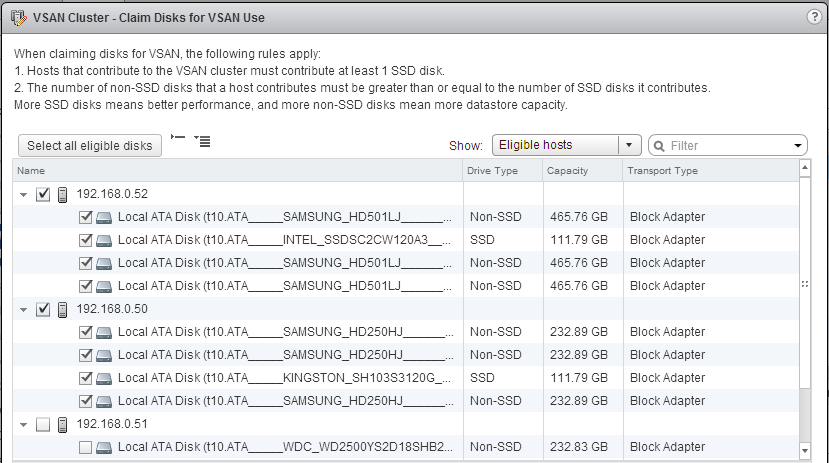
Create Disk Group:
Step 4: Start building Virtual Machines!
Yes, it is that easy. You now have a datastore called vsanDatastore.
My DL360 G6 server can also access this datastore, since I enabled VSAN on the VMKernel port groups, even though it’s not providing any resources to the VSAN cluster.