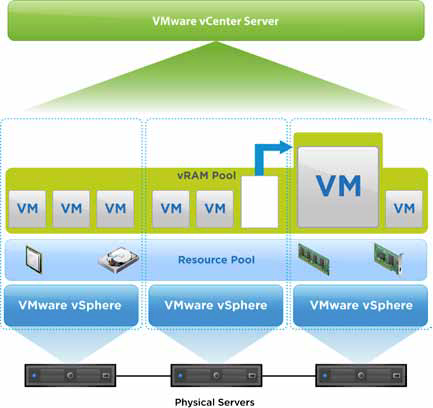
Thanks to the numerous traffic about vSphere 5’s vRAM “tax” - VMware has changed the entitlements.
(Take a look at Justin’s post here explaining vRAM “tax” and how it works.)
Basically, VMware has made 3 changes:
- Increased vRAM entitlements for all vSphere editions.
- Capped the amount of vRAM counted in any given VM
- More flexible in calculating and reporting hitting the limit
The fist one being the most important - and it was quite an increase for Enterprise and Enterprise+ and the Free hypervisor. Here is VMware’s chart: vSphere editionPrevious vRAM entitlementNew vRAM entitlementvSphere Enterprise+48 GB96 GBvSphere Enterprise32 GB64 GBvSphere Standard24 GB32 GBvSphere Essentials+24 GB32 GBvSphere Essentials24 GB32 GBFree vSphere Hypervisor8 GB32 GBvSphere DesktopUnlimitedUnlimited Enterprise and Enterprise+ have doubled, up to 96GB. The rest have increased only by 8GB. However, keep in mind that this is a per license limit. Your ESXi server will have at least 2 CPUs, meaning 2 vSphere licenses. So, This means that a typical Essentials vSphere server will an entitlement of up to have 64GB of vRAM available.
As a special note - for the Free Hypervisor, 32GB is the physical RAM limit for the physical server.
The second item, the “capped amount” simply means that (for example) if you have a VM with 512GB of vRAM, it’s not going to require you to have 5 vSphere licenses just to let that VM run. That VM only counts for 96GB of vRAM.
Lastly, They have changed the way vSphere tracks the vRAM usage - by taking the average vRAM consumed over a 12 month period, rather than keeping you alerted every-time your VM’s consume more vRAM than you are licensed for.
This was a good move by VMware, and it’s nice to know they listen to their market. I’m looking forward to vSphere 5.
See the official VMware Blog posting here .