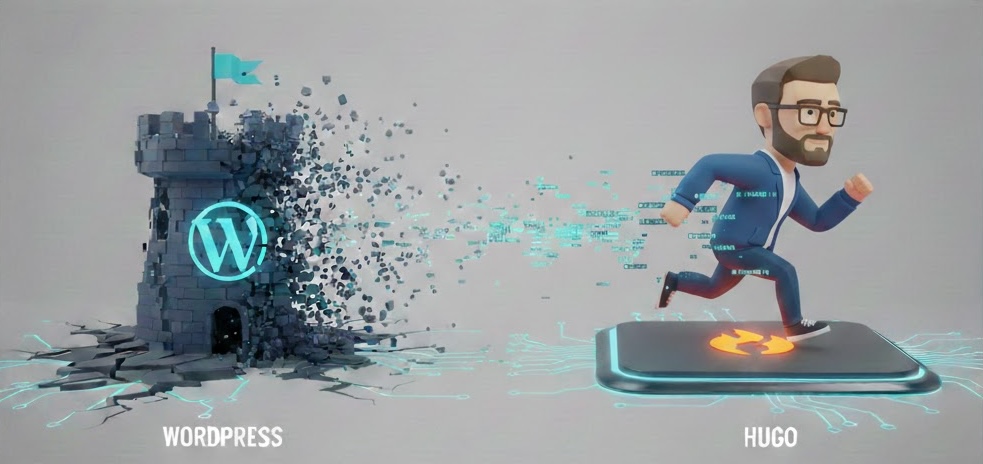
After 15 years of running this blog on WordPress, I decided it was time for a change. WordPress had served me well since 2011, but over the years it had become more than I needed. Between keeping plugins updated, managing security patches, dealing with the occasional PHP issue, and paying for hosting - it started to feel like I was spending more time maintaining the blog than actually writing. So in January 2026, I made the jump to Hugo, and I had some help from an unexpected partner - Claude AI.
Why Hugo?
I had been looking at static site generators for a while. The idea of a blog that’s just a collection of markdown files, with no database, no PHP, and no login page to worry about was very appealing. Hugo kept coming up as the go-to option for speed and simplicity. It builds in milliseconds, the themes are clean, and the whole thing can be hosted for free on platforms like Cloudflare Pages. For a personal blog, that’s hard to beat.
The Migration
The first challenge was getting 15 years worth of content out of WordPress and into Hugo-friendly markdown. For this, I used wp2hugo
, which takes a WordPress export XML file and converts the posts into markdown files with frontmatter. It handled the bulk of the conversion quite well - post content, dates, tags, and categories all came through. The media files (images, screenshots, etc.) were also exported and I placed them in static/wp-content/ to keep the existing URL paths intact.
Now, was the conversion perfect? No. Some of the older posts had WordPress shortcodes, custom HTML, and formatting quirks that needed to be cleaned up. But it got me about 90% of the way there, which was a huge time saver considering the number of posts.
Enter Claude
This is where things got interesting. I had been using Claude Code for a little while, and I realized it could help me with a lot of the tedious work involved in this migration. Instead of manually fixing each post, reviewing formatting, and configuring Hugo, I worked alongside Claude to get it done.
Claude helped with things like:
- Configuring Hugo - Setting up
hugo.tomlwith the right parameters, theme configuration, menus, and social links - Theme customization - Overriding the Mana theme’s default purple palette to match my blue branding, adjusting fonts, and tweaking the hero layout
- Post cleanup - Fixing broken shortcodes and formatting from the WordPress migration
- Cloudflare Pages setup - Getting the deployment pipeline configured so pushes to
mainautomatically build and deploy

What surprised me was how natural the workflow was. I could describe what I wanted, and Claude would make the changes, explain what it did, and we’d iterate from there. It felt like pair programming, except my partner never got tired and could context-switch between CSS, Hugo templating, and deployment configs without missing a beat.
Hosting on Cloudflare Pages
I was already a fan of Cloudflare from using their Zero Trust Tunnels in my homelab
, so Cloudflare Pages was a natural choice for hosting. The setup was straightforward - connect the GitHub repo, set the build command to hugo, and the output directory to public/. Every push to main triggers a new build and deployment automatically.
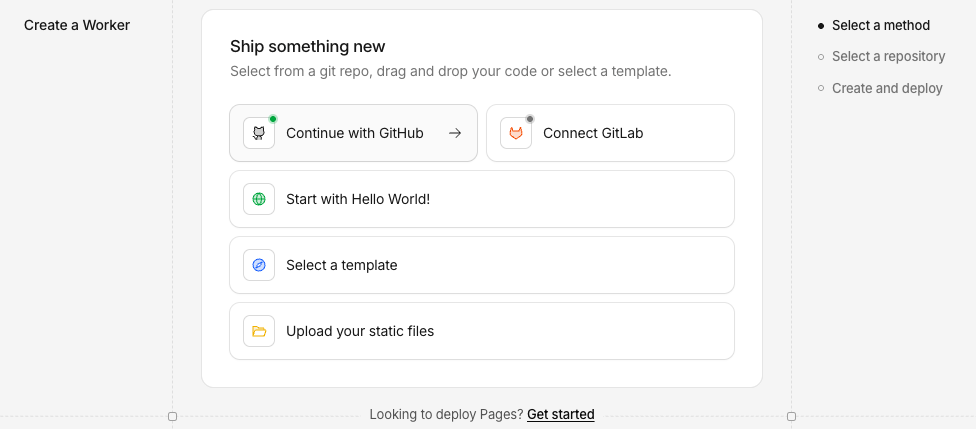
The best part? It’s free for personal sites. No more paying for WordPress hosting, and the site loads faster than it ever did. Cloudflare’s CDN handles the edge caching, and since Hugo generates static HTML, there’s nothing to break.
The Theme
I went with the Mana theme
for Hugo. It’s clean, minimal, and responsive. I customized it with my own blue color palette (to match my branding), swapped in the correct font for headings, and adjusted the layout to put the hero image on the left with text on the right. All the customizations live in the project’s layouts/ and assets/ directories, keeping the theme submodule untouched so it can still be updated if I ever change my mind.
What I Learned
A few takeaways from this project:
Static sites are freeing. Not worrying about a database, login security, or plugin updates is a weight off my shoulders. My content is just markdown files in a git repo - backed up, version controlled, and portable.
AI is a real productivity multiplier. I’m not saying Claude wrote this blog for me. But it absolutely accelerated the migration by handling the repetitive, tedious parts so I could focus on the content and design decisions. It’s like using a calculator - doesn’t mean you don’t know the forumulas, but it’s sure faster to get to the answer!
Don’t overthink the migration. I spent way too long thinking about making the switch before actually doing it. In the end, it took a weekend to get the core migration done and another couple evenings or so of tweaking. If you’ve been putting off a similar move, just start.
What’s Next
The blog is up and running on Hugo and Cloudflare Pages, and I’m happy with how it turned out. I plan to keep writing about the same mix of topics I always have - homelabs, enterprise tech, and most likely - a lot more about AI and using AI in all areas. The difference now is that writing a new post is as simple as creating a markdown file and pushing to git. No more WordPress dashboard, no more plugin conflicts - just writing.
If you’re thinking about making a similar move, feel free to reach out. I’m always happy to share what worked (and what didn’t).