Recently, I have been playing around with Windows 8. And, since it went RTM on Aug 1st, I figured I would install it fresh. I downloaded Windows 8 Pro from my subscription, and made sure to copy down my license key.
The install went quick and painless, and I decided to sign in with a windows live account to test the functionality of that vs a local account. When I went to change my account picture, I received a message that I can’t customize my account until windows is activated.
OK - so lets goto the control panel and activation. However, I could not find anywhere to input a key. Windows did not ask for one during install, and apparently won’t let me enter one. The “change product key” option that we saw in Windows 7 is non-existent.
He’s the skinny - since the Pro and Enterprise version are geared for business, it’s assumed that you are going to use a deployment server, a KMS server.
So, how do you enter a key? The command prompt…..
Open an Elevated command prompt, and type the following:
slmgr.vbs -ipk “Enter Key Here”
Edit: It appears there is yet another solution:
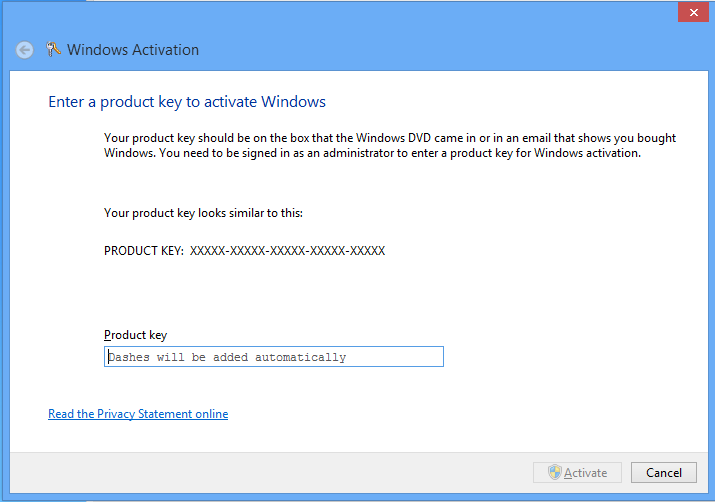
From the command prompt, or run dialog box, type:
slui 3
This will bring up the Activation wizard, and allow a product key to be entered.